

Calseta is under active development. APIs and features may change. We welcome feedback and contributions on GitHub.
Run Calseta locally
Try the lab
The lab is a fully seeded demo environment with sample alerts, enrichment data, and a full-access API key. It’s the fastest way to explore Calseta’s capabilities:Create an API key
For non-lab usage, create your own API key:Open the UI
Once services are running, open http://localhost:5173 in your browser. The dashboard gives you a visual interface for managing alerts, configuring detection rules, enrichment providers, workflows, and more.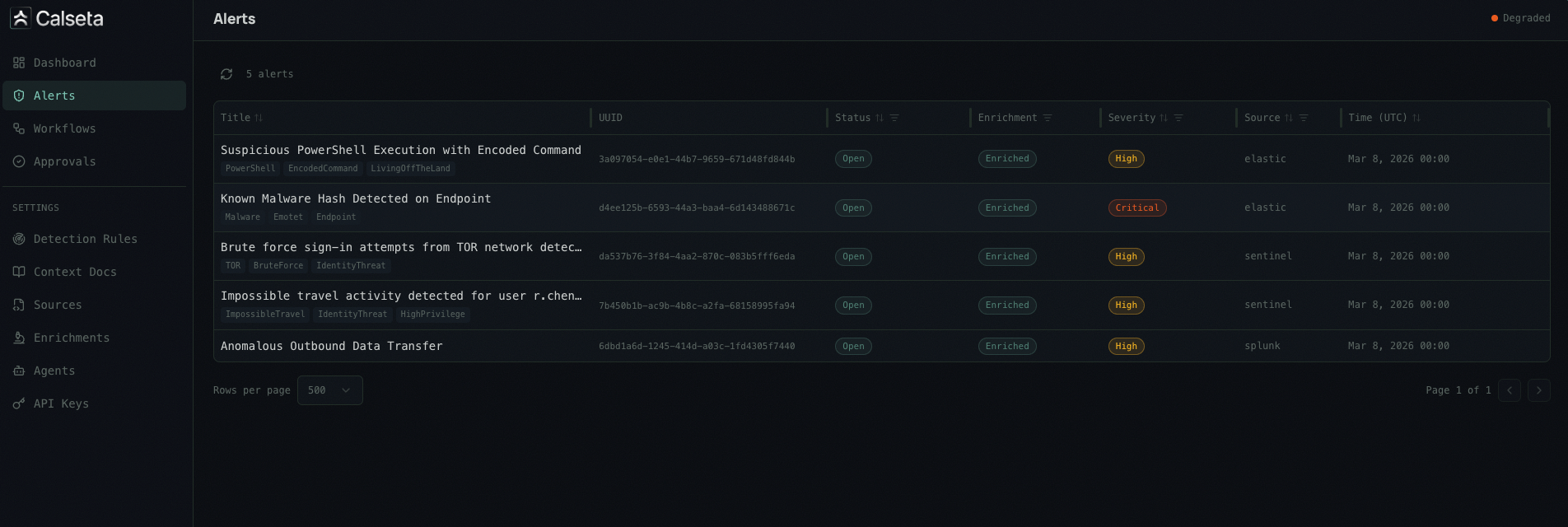
Next steps
How It Works
Understand the five-step pipeline: ingest, normalize, enrich, contextualize, and dispatch.
Authentication
Create API keys and authenticate your requests.
Alert Sources
Connect Microsoft Sentinel, Elastic, Splunk, or a generic webhook.
UI Dashboard
Explore the web dashboard for alert management and settings.
MCP Setup
Connect your AI agent to Calseta via the MCP server.